
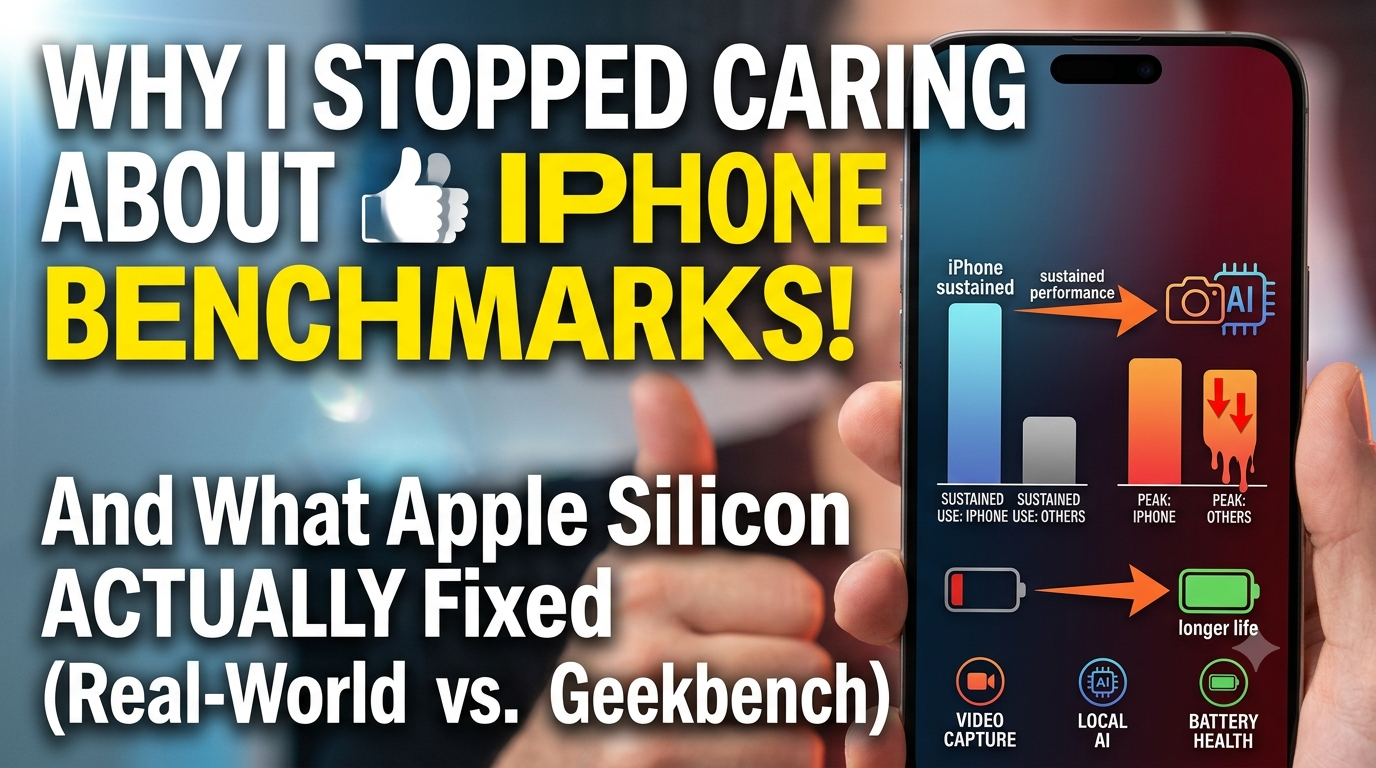
I spent the last month hammering Apple’s newest phone with heavy workloads. Rendered 4K video files back to back, ran local open-source LLMs on the device, played heavy games, and kept background cloud syncs running all at once.
The most impressive part wasn’t some artificial Geekbench number. It was the simple fact that the back glass didn’t burn my palm while doing it.
For years, silicon makers played a stupid rat race. They pushed clock speeds through the roof just to show a shiny 30% speed jump during annual keynote presentations. Then they completely ignored what happened three minutes later in the real world when thermal limits kicked in and choked the chip.
Apple’s hardware team basically walked away from that trap with their latest chip layout. The goal here wasn’t giving you an unnoticeable speed boost when opening WhatsApp. It was fixing the brutal thermal throttling and battery drain that ruin modern mobile hardware.
Synthetic Benchmarks Are Pretty Much a Scam
Synthetic benchmarks look great on paper. They push a chip for sixty seconds and print out a massive score that tech outlets quote for months.
Real life doesn’t run in sixty-second bursts though. Benchmarks don’t show what happens to your phone during a long video call under direct sunlight, or while driving with GPS running on a scorching dashboard.
Peak speed is totally useless if a chip can only hold it for two minutes before overheating. That’s where most competing processors crash hard. They hit high peak numbers initially, cook the motherboard, and then drop to half their speed just to keep the glass from melting.
Apple shifted their focus toward sustained efficiency. By tweaking how power flows across the core layout, the chip maintains steady clock speeds without triggering aggressive thermal cuts. Minute thirty runs at the exact same performance level as minute one.
What Happens When You Push the Camera for 20 Minutes
The ultimate test for mobile silicon isn’t a gaming app—it’s heavy video capture. Shooting 4K video at 60fps forces the camera sensor, image processor, and storage controller to pull peak wattage simultaneously.
On older setups, that heavy power draw hits a thermal wall fast. Frame rates drop, the UI stutters, and the screen automatically dims itself to keep temps down.
The new layout fixes this by using dedicated hardware blocks for specific tasks. Instead of waking up heavy, power-hungry CPU cores to encode video, fixed-function silicon handles the heavy lifting at a fraction of the power cost. The main CPU cores stay almost completely asleep during video recording.
Because the main cores aren’t firing on all cylinders, internal heat stays remarkably low. Your screen doesn’t dim forcibly mid-shoot, and your battery percentage doesn’t bleed out ten percent in five minutes.
Running Local AI Without Turning Your Phone Into an Oven
Tech marketing teams love throwing around the phrase “On-Device AI” right now. But running local neural networks on a pocket-sized device is usually a total disaster for battery health. Large language models hog memory bandwidth and pin hardware utilization at 100%.
Route those local AI tasks through normal CPU or GPU cores and your battery dies in under an hour. That’s why most companies make you route everything through cloud servers instead.
Apple handled this by expanding the dedicated Neural Engine block inside the chip. Local AI workloads—like instant audio transcription or offline image isolation—bypass the CPU and GPU entirely. They get dumped straight onto specialized NPU cores built specifically for matrix calculations.
These NPU cores execute trillions of operations pulling barely any power. You get instant local AI responses, total data privacy, and zero battery drain. No personal data leaving your device, and no thermal spikes just because you summarized a document.
24GB of RAM on Paper vs. Unified Memory in Practice
Android brands love flexing 16GB or 24GB of RAM on spec sheets. But raw RAM numbers don’t mean much if the memory architecture itself is clunky.
Apple Silicon uses a unified memory pool where the CPU, GPU, and Neural Engine share the exact same physical memory registers on the chip package. Data doesn’t get copied back and forth between separate system RAM and GPU memory. When the graphics core needs a frame asset the CPU just processed, it reads it instantly from the exact same address.
Because of that zero-copy pipeline, 8GB or 12GB of unified RAM easily outperforms 20GB on Android. Apps actually stay alive in memory instead of getting force-closed every time you switch tabs.
Fast-Charging Wars vs. Actual Battery Health
Marketing teams went crazy with 100W and 120W fast charging recently. Blasting that much raw current into a tiny phone cooks the lithium cells from the inside out, dropping battery capacity in less than a year.
Apple completely skipped that fast-charging race. Instead of dumping dangerous wattage into the phone for ten-minute charge tricks, they engineered the chip to draw way less power in the first place.
Low-power efficiency cores handle around 80% of daily background tasks—checking emails, syncing widgets, receiving push alerts—while pulling almost zero current. Paired with iOS charging limits that stop the battery from sitting at 100% capacity overnight, the physical battery holds its health across years of daily use.
The Takeaway
Look, phone speeds peaked years back. Nobody cares if a browser opens in 0.01 seconds instead of 0.02. I just want a device that doesn’t dim the screen outside at noon or tank its battery before dinner.
Apple’s newest chip isn’t a victory for benchmark scoreboards. It’s a victory for real-world thermal sanity and power efficiency.